
Draw Climber
VOODOOArcade
4.212.40K Reviews
- Version
- 1.24
- Installs
- 100.00M
- Age Rating
- Everyone
Screenshots
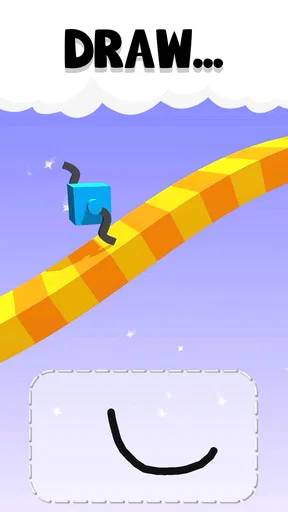
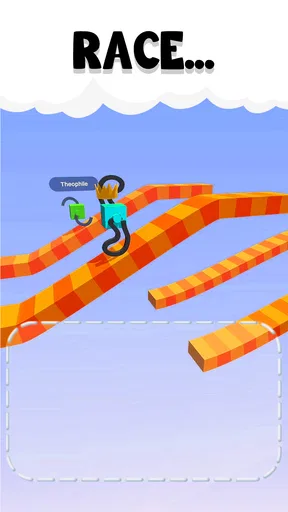
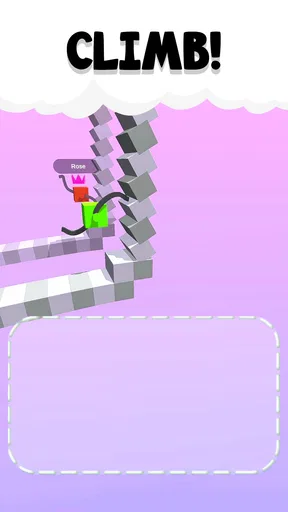
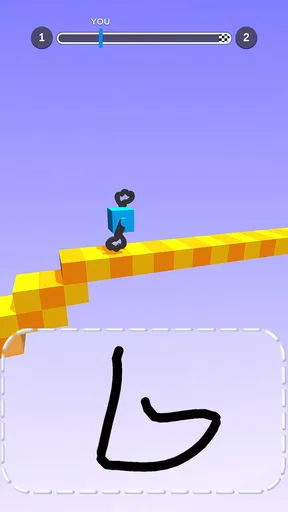
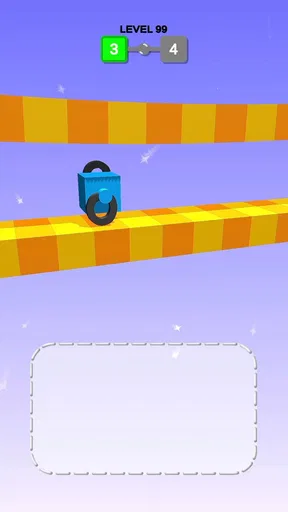
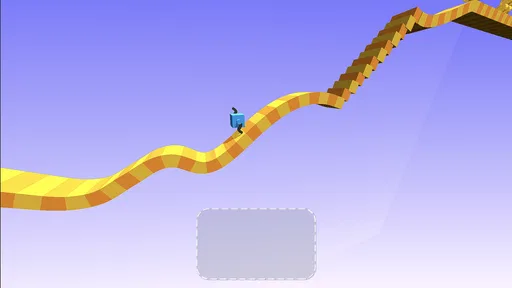
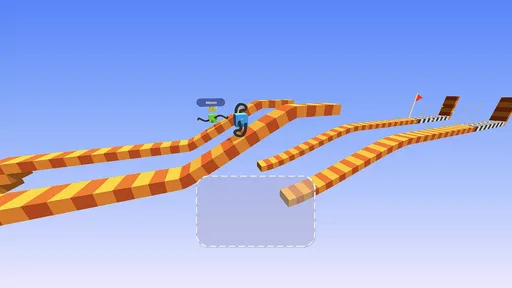
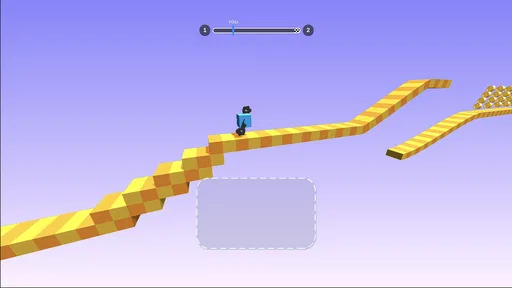
Our Review of Draw Climber
 Analysis by Appyee
When a race in Draw Climber goes badly, my first instinct is to redraw the legs. That is often the interesting part: a shape that looks clever on a blank screen may behave awkwardly once the cube meets a slope or a tight passage. The game turns a tiny sketch into a practical problem-solving choice, so it suits short breaks when I want something playful without a long tutorial or complicated controls.
Where a run can go wrong
The central idea is easy to grasp, but it can take a few attempts to judge what a drawing will do in motion. Long, narrow legs may help in one stretch and feel clumsy in another; a compact shape can be easier to control but may not clear the same obstacle. I treat each run as a quick experiment rather than searching for one perfect design. If progress stalls, changing one feature at a time makes it easier to see what actually helped.
That trial-and-error loop is also the main source of friction. A player who wants precise, predictable control may find the open-ended drawing less satisfying than a game with fixed movement and clearly defined inputs. Here, a failed attempt can feel like a poor sketch rather than a fair test of timing. I enjoy that uncertainty, but it is worth knowing what kind of challenge the game is built around.
Simple checks before you play
The game is free, rated for Everyone, and developed by VOODOO. It is an arcade game with a straightforward premise, so I would recommend starting with a few simple shapes instead of trying to create an elaborate design immediately. That gives you a useful baseline: if a basic shape handles a section well, you can adjust it for the next obstacle rather than changing everything at once.
It was released on January 31, 2020, and the current version is 1.24, with Android 8.0 as the minimum operating system. If it does not open or behave normally, checking that the device meets that requirement and that the installed copy is up to date is a sensible first step. The game has an average rating of 4.2 from around 366,000 ratings, and it has passed 100 million installs, so it is a familiar pick for people looking for a quick arcade diversion.
A useful way to recover a run
When a shape seems to fail, I avoid redrawing it from scratch without thinking about the obstacle. I ask what the next section demands: more clearance, a steadier base, or a shape that can get past a narrow space? Then I make a small change and compare the result. This is more useful than assuming that bigger or more complicated legs are automatically better.
That approach makes the game feel less random and gives each retry a purpose. It also helps when I am playing in a hurry: a short session can still be satisfying if I focus on one troublesome section and test a couple of variations. If I am distracted or rushing through the drawing step, though, I am more likely to blame the controls for a design I did not really consider.
When the problem may be elsewhere
Not every frustrating run means the game is misbehaving. Sometimes the drawing simply does not suit the terrain, or I have tapped through a section without noticing what made the previous attempt struggle. I find it useful to pause for a moment, look at the obstacle, and try a deliberate adjustment before restarting with the same idea.
There is also a difference between wanting a casual game and wanting a deep racing game. Draw Climber offers a light, hands-on puzzle within an arcade race; it is not the best fit if you want detailed vehicle tuning, a long story, or highly exact control over every movement. For a more conventional arcade game, fixed controls may feel fairer. Here, the appeal is seeing a homemade shape meet a course and adapting when it does not work.
Getting Started
As soon as you open Draw Climber, you’re greeted with a simple yet vibrant interface. The goal here is straightforward: draw legs for your cube-shaped character and watch it scuttle its way through various obstacles. It’s one of those games that’s incredibly easy to pick up but hard to put down. I found myself instantly hooked, eager to see how my artistic prowess would fare against increasingly tricky courses.
The Art of Drawing
Now, don’t worry if you’re not the next Picasso. The beauty of Draw Climber is that it celebrates all levels of artistic ability. You simply draw a shape that will serve as your character’s legs. The challenge is to craft the perfect shape to maneuver your little cube up steep inclines, through narrow passages, and over gaps. There’s a certain thrill in experimenting with different shapes and seeing how they perform. Will a pair of long, skinny legs work better than short, stubby ones? Only one way to find out!
The controls are intuitive and responsive, making the drawing process a breeze. I found myself constantly tweaking my designs to optimize performance, which adds a delightful layer of strategy to the game.
Levels and Challenges
The game boasts a variety of levels, each one more challenging than the last. Initially, you’ll breeze through the courses, but don’t let that fool you. As you progress, the obstacles become more complex, requiring quick thinking and inventive drawing. I loved the gradual increase in difficulty, as it kept the game fresh and exciting.
There’s also a competitive edge to Draw Climber. You can race against other players’ drawings, adding a fun layer of competition. Trust me, there’s nothing quite like the satisfaction of outdrawing an opponent and watching your cube zoom to victory.
Customization and Rewards
Beyond just drawing legs, you can earn coins to unlock new skins and customization options for your cube. It’s a nice touch that adds some personalization to the game. I had a blast mixing and matching different colors and patterns to create the ultimate climbing machine.
The game does offer in-app purchases, but they’re entirely optional. I appreciated that I could enjoy the full experience without spending a dime, although the option to support the developers is always welcome.
How it fits into an ordinary day
I see this as a good waiting-room or commute-break game: one race gives me a clear little task, and a quick redesign makes a second attempt feel different without requiring a lengthy commitment. It also works as a casual pass-and-play conversation starter, because people can suggest shapes and immediately see whether their idea holds up. I would not choose it for a quiet stretch where I want a narrative to follow or a session that rewards careful long-term planning.
Compared with the usual arcade alternatives, its distinctive hook is not simply racing but making the movement aid yourself. A standard runner asks me to react to hazards using familiar taps or swipes; this asks me to think about the shape before watching the result. That makes it more creative than a reflex-only game, but less exact than a racer where speed and timing are the whole test. Players who enjoy quick experiments will likely get more from it than those who prefer mastery through consistent, repeatable controls.
What to expect from the free version
The game costs nothing to download, while optional in-app purchases are listed at $2.99 per item. I would start without buying anything and see whether the drawing-and-racing loop holds my attention; cosmetic customization is a pleasant extra, not the reason I would recommend it. The purchase option is worth keeping in mind if you are choosing a game for a child, even though the content rating is Everyone. A quick check of purchase settings on the device is a practical precaution for any game with optional spending.
If the game feels difficult at first, I would not interpret that as a need to spend or unlock something. The core skill is adapting a drawing to the course. Keep the first sketches simple, change one thing after a poor result, and notice whether the trouble came from an incline, a gap, or a narrow section. That small habit gives the retries a purpose and makes improvement easier to recognize.
Who should choose it—and who should pass
I would recommend it to someone who likes playful physics-style challenges, enjoys doodling without worrying about artistic skill, or wants an arcade game that can be picked up in spare minutes. It can also suit a family looking for a simple game to discuss together: “What if we try a wider shape?” is an easy invitation to take turns experimenting. Its Everyone rating makes the content broadly approachable, while the optional purchases are still something adults may want to manage on a shared device.
I would steer away from it if you dislike trial and error, want a serious competitive racer, or expect detailed explanations for why every attempt succeeds or fails. The game’s fun depends on accepting that a sketch is a rough solution, not a guaranteed blueprint. And if a particular race goes poorly, a short break can be better than repeating the same drawing in frustration; returning with a fresh idea is more useful than treating every loss as a demand to keep grinding.
Final Thoughts
In conclusion, Draw Climber is a delightful blend of creativity and challenge. It’s perfect for those moments when you want to engage your brain but also have a bit of fun. The simple yet addictive gameplay, combined with the joy of seeing your drawings come to life, makes it a standout app in the crowded mobile gaming market.
Whether you’re a seasoned artist or just someone looking for a unique gaming experience, Draw Climber has something to offer. So go ahead, give it a try! You might just discover a hidden talent for drawing the perfect pair of legs.
My practical verdict
My recommendation is to approach it as a compact sketch-and-test arcade game, not as a demanding racing simulator. The best everyday use is a spare few minutes when I am happy to try an idea, see what happens, and adjust without taking a setback too seriously. Its creative input gives it a personality that many familiar arcade games lack, while its loose trial-and-error nature is also the clearest reason it will not suit everyone.
If that trade-off sounds appealing, the free download makes it easy to decide for yourself. I would begin with uncomplicated drawings, pay attention to the course rather than chasing one universal shape, and treat customization as a bonus. For quick, hands-on fun, it earns a place in my rotation; for precise racing or a deeper progression-focused game, I would pick something built around those priorities instead.
Verdict
Strengths of Draw Climber
- Simple controls make it easy to learn.
- Innovative gameplay with unique mechanics.
- Levels offer varying challenges and fun.
- Visually appealing with charming graphics.
- Regular updates keep the game fresh.
Limitations of Draw Climber
- Repetitive levels can become boring.
- Ads can disrupt the gaming experience.
- Limited customization options available.
- In-app purchases may be costly.
- Occasional bugs can affect gameplay.
Other Releases by VOODOO
View All


Similar Picks in This Category
View All
Subway Surfers
SYBO Games4.6

Stickman Party 234 MiniGames
PlayMax Game Studio4.6

Subway Princess Runner
Ivy4.4

Temple Run
Imangi Studios4.2

Zombie Tsunami
Mobigame SAS4.6

Stack Ball - Crash Platforms
CASUAL AZUR GAMES4.5
Frequently Asked Questions
What is Draw Climber and how does it work?
Draw Climber is a unique puzzle game where players draw legs for a block to help it navigate through various obstacles and reach the finish line. The game requires creativity and quick thinking, as different terrains require different leg designs. With each level, the challenges become more complex, keeping the gameplay engaging and fun.
Is Draw Climber free to play?
Yes, Draw Climber is free to download and play on both Android and iOS platforms. However, it contains in-app purchases and advertisements. The purchases can enhance your gameplay experience, offering additional customization options or removing ads, but they are entirely optional.
What are the system requirements for Draw Climber?
Draw Climber is designed to run smoothly on most modern smartphones. For Android users, it requires Android version 4.4 and up, while iOS users need iOS 9.0 or later. The game is lightweight, so it shouldn’t take up much storage space, making it accessible to a wide range of devices.
Does Draw Climber require an internet connection?
Draw Climber can be played offline, making it convenient for users who want to enjoy the game without an active internet connection. However, some features, like watching ads for rewards or accessing certain in-app purchases, will require an internet connection.
How does the progression system work in Draw Climber?
In Draw Climber, players progress through levels by successfully navigating through obstacles with their custom-drawn legs. As you advance, you’ll encounter more challenging terrains, requiring more strategic and creative thinking. Players can earn coins to unlock new skins and other customization options, enhancing the visual aspect of their gameplay.
Play our best games!


